GMTracer
A downloadable tool for Windows and macOS
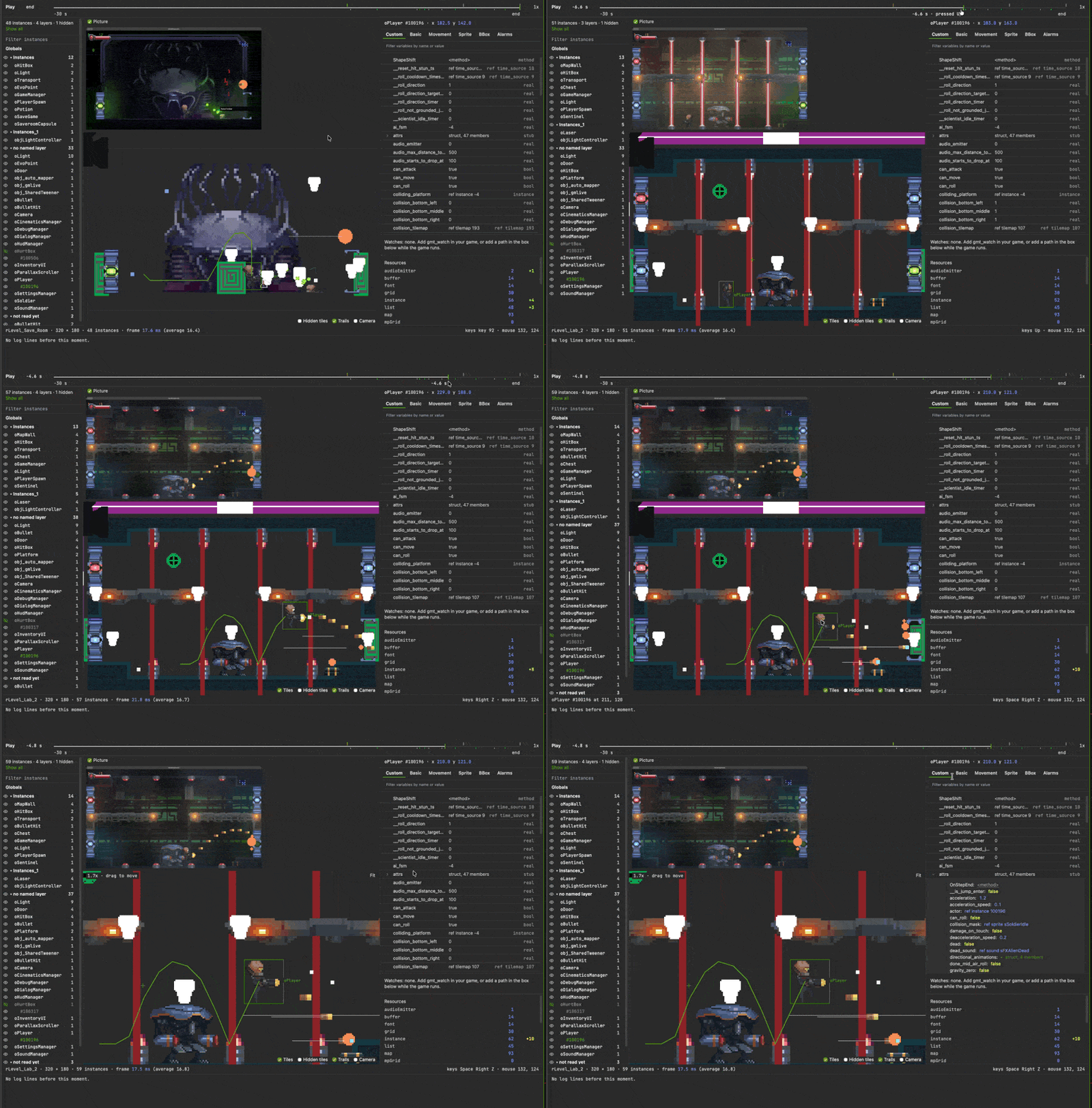
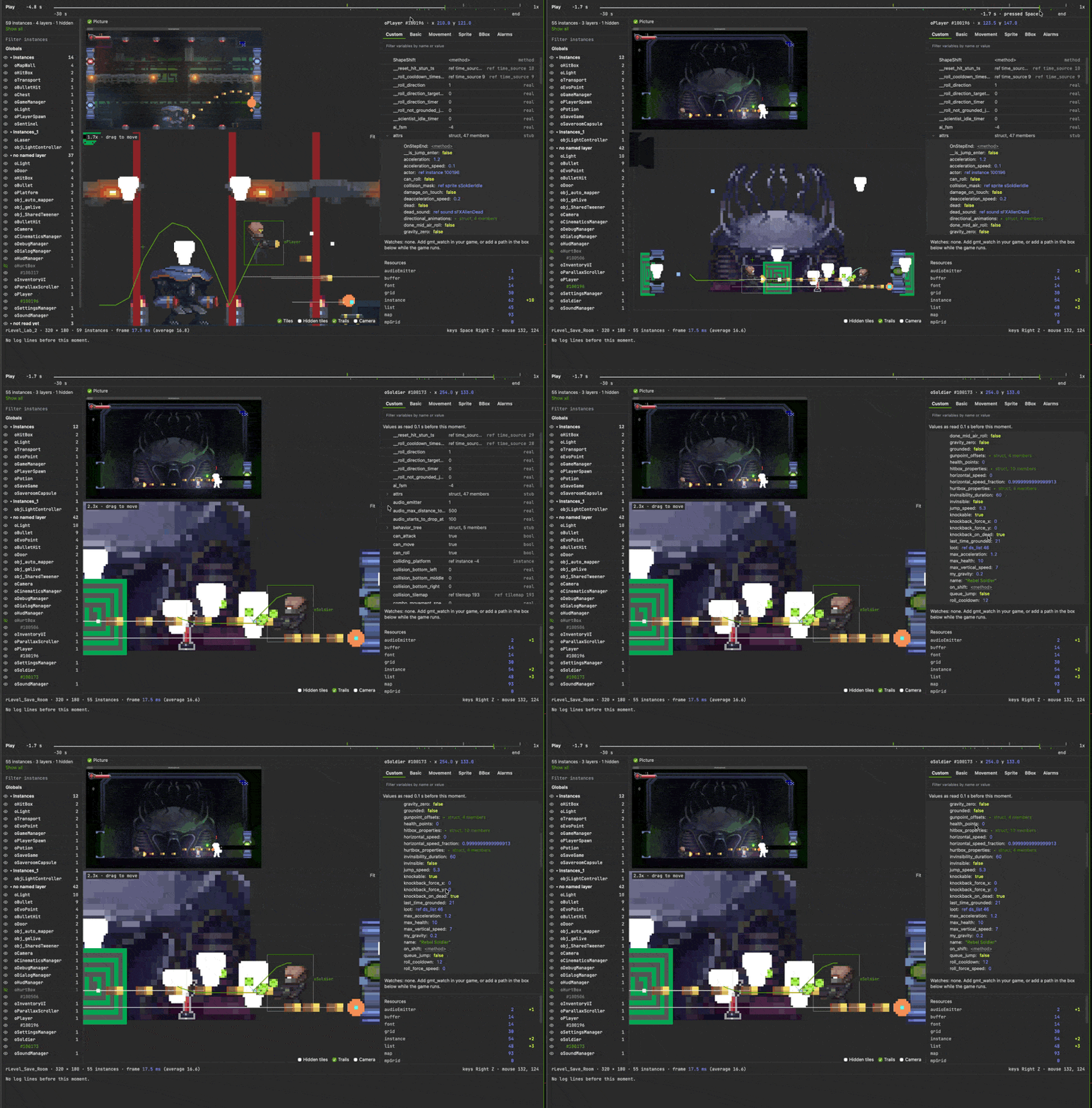
GMTracer is a debugger for GameMaker that lets you rewind your game. It keeps the last 30 seconds of everything that happened, so when something goes wrong you can drag back to that moment and see every instance and variable as they were.
[GMTracer is an early preview. I've been using it on my own game for a while now and it's been really useful, but it's still in development. If you buy it now you get every future update at no extra cost, and it helps me keep working on it]
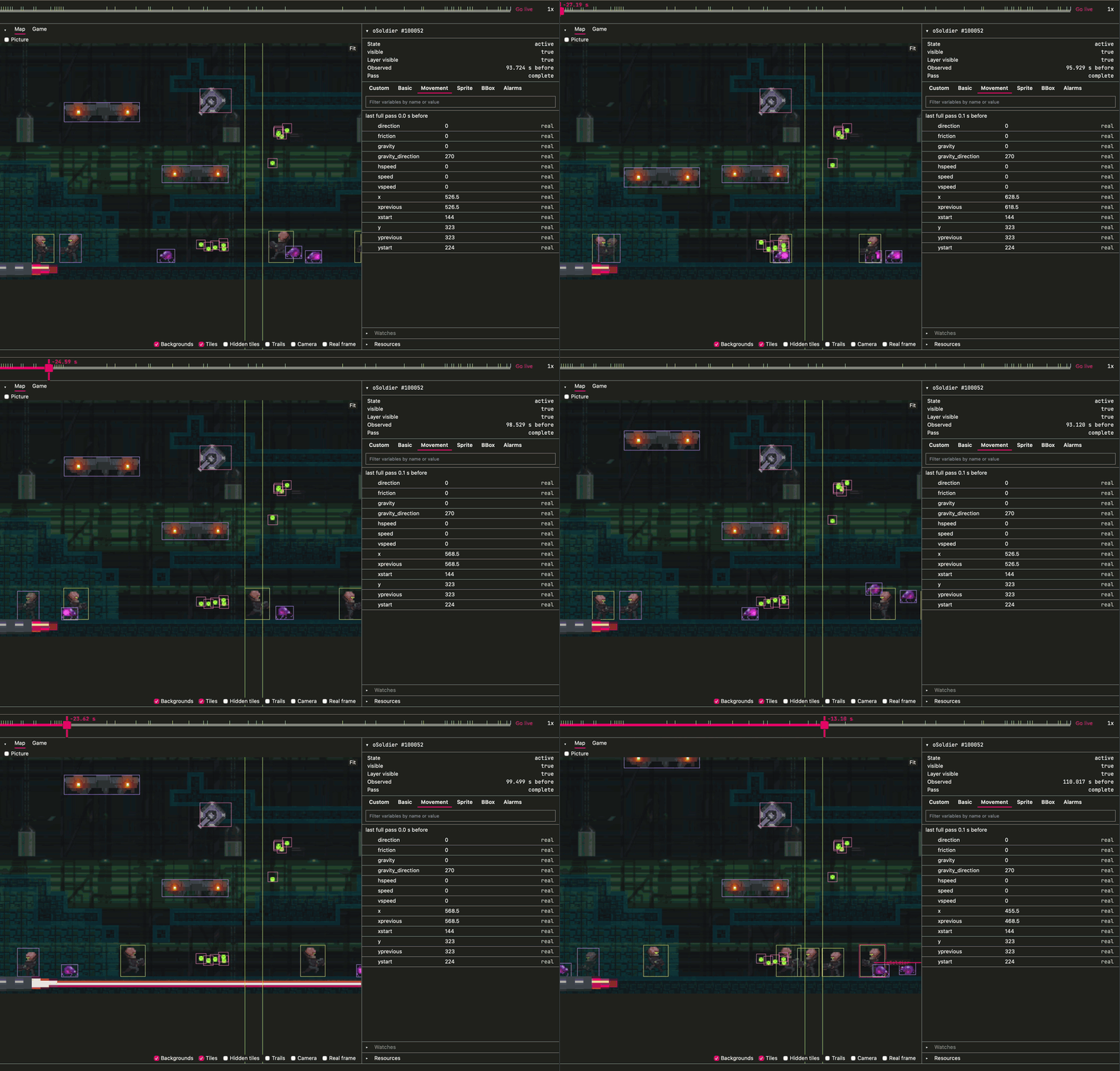
GMTracer runs in its own window next to your game. While the game runs, GMTracer records the position of every instance, the variables on every instance, the room's tiles and backgrounds, the camera, and anything you log. You can pause at any point and drag the timeline back to see the room as it was. Click on an instance and you'll see its variables at that moment. If you've used Unity, it's a bit like keeping the Inspector open while you play, except you can also go back in time.
Features
- Records instance positions, variables, tiles, backgrounds, the camera, logs, and frame times for the last 30 seconds.
- Recordings can be saved to a file and opened again later. This is handy for attaching to a bug report.
- Variables can be edited while the game is running. You can also call methods, change rooms, and destroy instances from GMTracer.
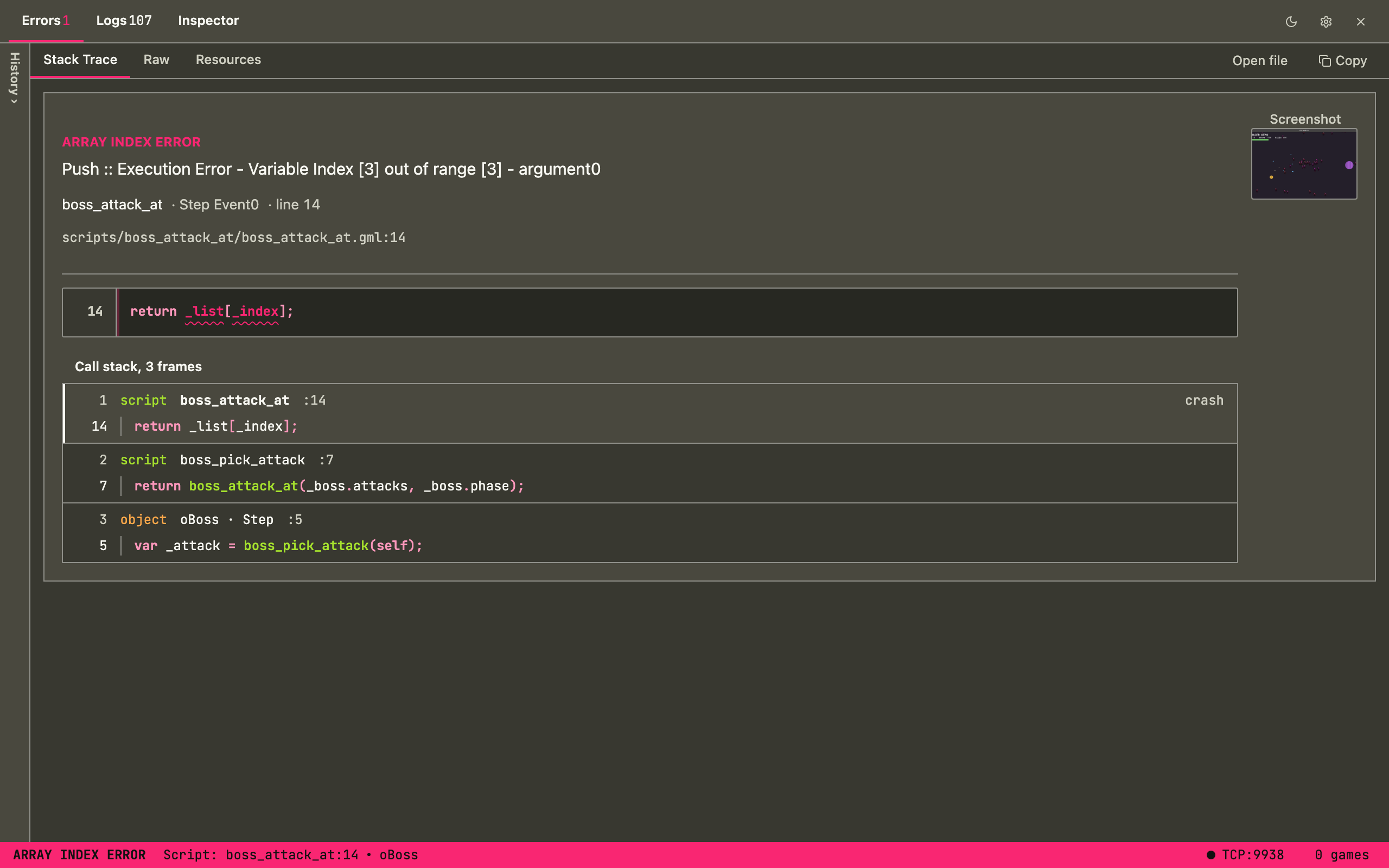
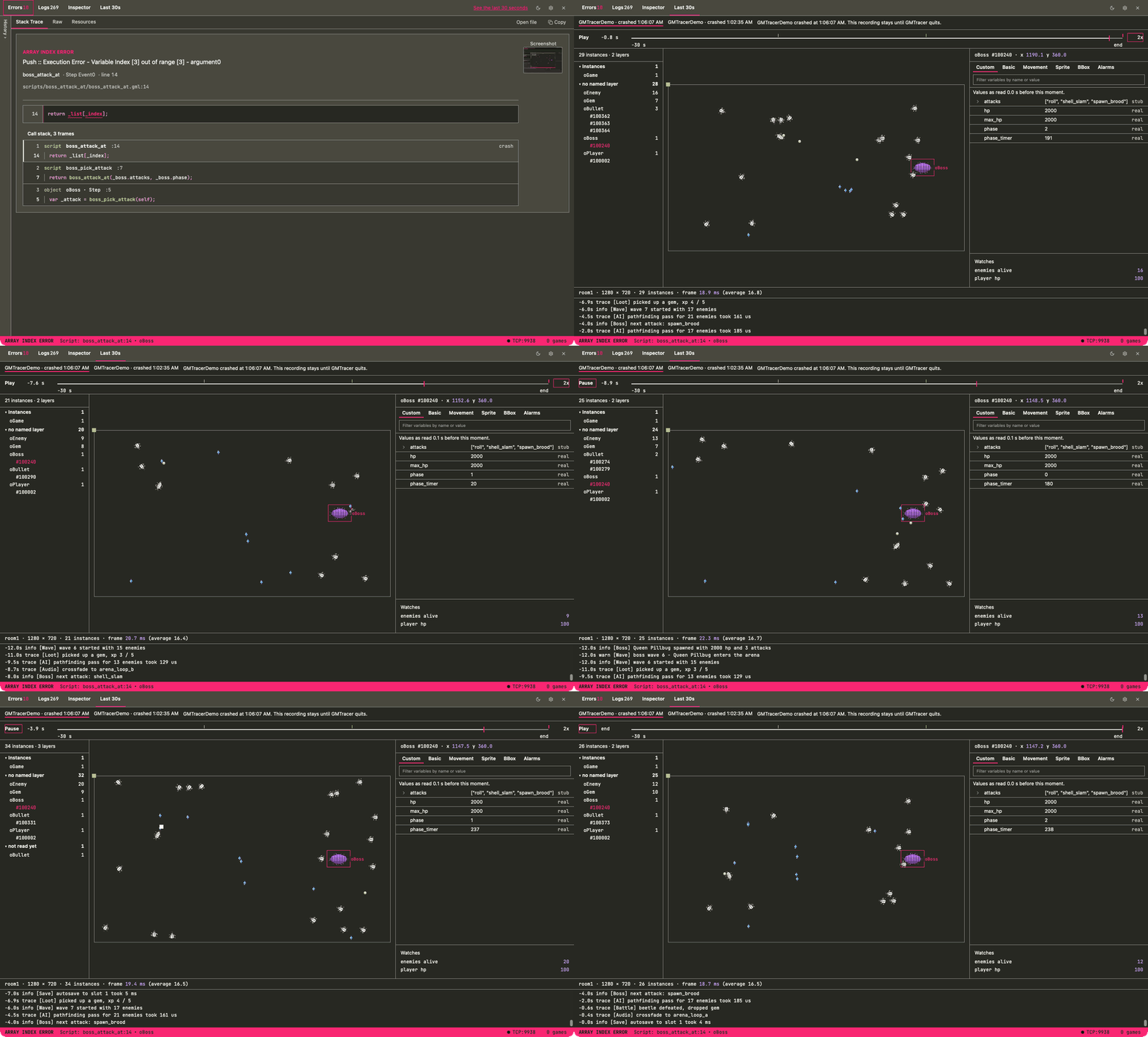
- Crashes show the line that failed, the call stack, and a screenshot of the game window. GMTracer also suggests a fix for ten common GameMaker errors.
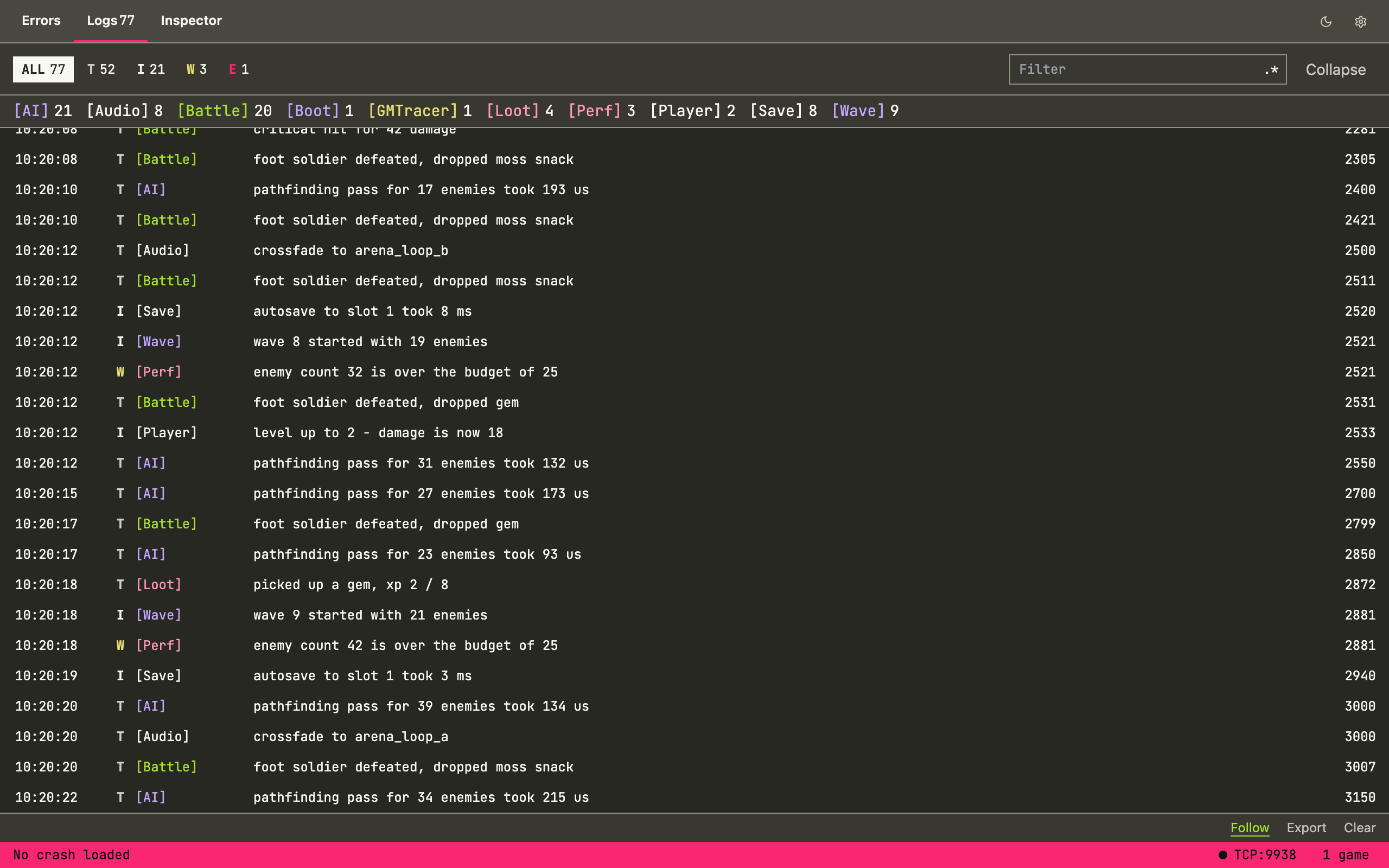
- Logging functions that take any number of arguments and can be filtered by level or by a [Label] at the start of the message.
- Turns itself off in builds made with a config called Ship, Release, or Production.
Logging
There are four logging functions. Each one takes as many arguments as you like and joins them with spaces, so you don't need to build strings yourself:
gmt_info("[Wave] wave", wave, "has", n, "enemies");
gmt_warn("[Perf] enemies:", instance_number(oEnemy));
gmt_error("[Save] could not write slot", slot);
gmt_watch("hp", function() { return oPlayer.hp; });
gmt_trace is the fourth level and it's meant for noisy output. gmt_watch shows a value in GMTracer and keeps it up to date.
Setup
- Install GMTracer and open it.
- In GameMaker, go to Tools > Import Local Package, choose the .yymps file that matches your GameMaker version, then click Add All > Import.
- Run your game. It will find GMTracer by itself. You don't need to call an init function or put an object in a room.
Everything else, from the recorder to release builds, is in the documentation.
FAQ
Will this slow my game down?
The recorder limits itself to 3% of your game's time. In a busy game it reads less often so that it stays inside that limit. Most of the work is done by a small extension that comes with the package. Where the extension can't run (GameMaker 2023.11, for example) GMTracer falls back to plain GML, which is slower but still works. I test every change on Windows first, with uncapped frame rates and with a stress test of around 500 enemies.
Do I need to remove the gmt_ calls before I ship?
No. Build with a config called Ship, Release, or Production and GMTracer switches itself off completely. If your config has a different name, set GMTRACER_ENABLED to false in gmtracer_config.
What platforms does it support?
The app runs on Windows and macOS. Your game needs GameMaker 2023.11 or newer. HTML5 and GX.games won't work because they don't have raw TCP sockets, and that's how the game talks to GMTracer.
I found a bug, or I want a feature.
Please post in the community section below. I read everything that gets posted there.
Purchase
In order to download this tool you must purchase it at or above the minimum price of $9.90 USD. You will get access to the following files: